How to Fix Your Suspended Google Business Profile Without Calling Support
How to Fix Your Suspended Google Business Profile Without Calling Support (2026 Guide)
There is no greater “gut-punch” for a local business owner than logging into your dashboard and seeing that dreaded red banner: “Your Business Profile has been suspended.” In an instant, your primary source of leads, calls, and foot traffic vanishes from Search and Maps. In the past, your first instinct might have been to find a phone number for Google Support. However, as we navigate the landscape of 2026, calling support is no longer the primary – or even an effective – route for recovery. Google’s support infrastructure has shifted almost entirely to AI-driven ticketing and automated verification systems.
In my experience handling hundreds of reinstatement cases, I have seen that success in 2026 relies on what I call the “Evidence-First Reinstatement Framework.” This approach bypasses the need for manual human intervention by providing the algorithm with undeniable, high-trust data points before you even hit the submit button. If you want to master google business profile seo and ensure your business stays online, you must understand how to navigate this self-service recovery path.
Decoding the Suspension: Is it a “Soft” or “Hard” Hit?
Before you take any action, you must diagnose the severity of the suspension. Not all “Suspended” banners are created equal. In 2026, the distinction between a “Soft” and a “Hard” suspension determines your recovery timeline and the level of documentation required.
A Soft Suspension occurs when your listing remains live on Google Maps and Search, but you have lost the ability to manage it. You cannot respond to reviews, update hours, or post updates. This is often a warning shot from the algorithm, indicating a minor policy violation or a need for re-verification. Conversely, a Hard Suspension is the “death penalty” for a profile. Your listing is completely removed from public view. If you search for your business name and it no longer appears in the Map Pack, you are facing a hard hit.
Recent research, including deep dives into community discussions, indicates that “deceptive content” flags are the most common cause of hard hits in 2026. These are often triggered by simple address changes or proximity glitches where the AI suspects the business doesn’t actually exist at the stated location. To understand if your profile is showing these early warning signs, check out our guide on 7 Red Flags Your Google Business Ranking Is About to Drop in 2026.
Why Google Suspended You: The 2026 AI Filter Triggers
To rank google business profile effectively, you have to stay on the right side of the AI filters. By 2026, Google’s spam detection has evolved beyond simple keyword stuffing. The algorithm now prioritizes real-world behavioral signals over static citations. The modern triggers for suspension usually fall into three categories: Profile Stacking, Suspicious Interaction Patterns, and the “Interaction Gap.”
Profile Stacking refers to the practice of creating multiple profiles for the same business to dominate the local area. Google’s AI is now incredibly adept at identifying shared IP addresses, similar photo metadata, and overlapping service areas. If the AI detects this, it will prune the entire “stack” simultaneously.
The Interaction Gap is a newer 2026 signal. This happens when a profile shows high google business profile ranking signals – such as a top-3 position – but lacks the corresponding “User Path Signals.” If you are ranking #1 for “plumber near me” but no one is clicking for directions, calling the number, or spending time on your profile, the AI flags the listing as potentially fraudulent or manipulated by bots. To ensure your interaction data is healthy, utilizing a google business profile audit tool is essential for identifying these discrepancies before they lead to a suspension. Modern local seo ranking factors now demand a balance between visibility and genuine user engagement.
The “Pre-Appeal” Audit: Fixing the Profile First
The biggest mistake I see business owners make is rushing to the appeal form the second they see the suspension notice. Never appeal a broken profile. If your profile contains the very errors that triggered the suspension, the automated appeal system will reject you within seconds, making future recovery much harder.
Start with a comprehensive audit of your NAP (Name, Address, Phone) data. In 2026, your GBP name must exactly match your legal business name as it appears on your tax filings or business license. Adding keywords like “Best” or “Cheap” to your business name is a fast track to a permanent ban. Next, ensure your business category is the most specific one available. If you are a “Personal Injury Attorney,” don’t just use “Lawyer.”
One critical technique we use is the “Simple Proximity Hack.” This involves checking your service area radius. If your service area is set to a 100-mile radius but your physical office is in a small suburb, the AI may flag this as unrealistic. Narrowing your service area to a 20-mile radius often resolves proximity-related “deceptive content” flags. For a deeper dive into these technical fixes, refer to our article on Fix Your Google Business Ranking with This 2026 Signal Audit. If you are managing multiple locations, using high-quality local seo software can help maintain consistency across all profiles.
The Step-by-Step 2026 Reinstatement Process
Once your profile is cleaned up and matches your legal documentation, you are ready to initiate the reinstatement. In 2026, Google has streamlined the appeal process, but they have also made it more rigid. You no longer send a casual email; you use the official Evidence Portal.
- Access the Appeal Tool: Log in to the Google account associated with the GBP and navigate to the Google Business Profile Help Center’s “Reinstatement Request” section.
- The 60-Minute Evidence Window: This is a critical data point identified in StrategyC research. Once you initiate the appeal and enter your business details, the system opens a specific “Evidence Window.” You must have all your digital documents ready for immediate upload. If you delay more than 60 minutes, the session may time out, and the AI may auto-reject the appeal due to “incomplete documentation.”
- Upload Clear, High-Resolution Proof: Do not use blurry photos or scanned copies that are hard to read. The AI scans these documents for specific text strings.
Knowing how to rank google business profile is useless if you can’t keep it live. The reinstatement process is your opportunity to prove your legitimacy. If you find this process overwhelming, many businesses opt for a professional google maps ranking service to handle the technical nuances of google business profile reinstatement.
The Documentation Checklist: What Actually Works
In 2026, Google has moved away from accepting simple “vouching” from owners. They require hard, third-party evidence. To pass the automated check, you should provide at least three of the following non-negotiables:
- Utility Bills: A water, electric, or internet bill dated within the last 30 days. The name and address must match the GBP exactly.
- Business License: A valid, state-issued license or LLC filing documents.
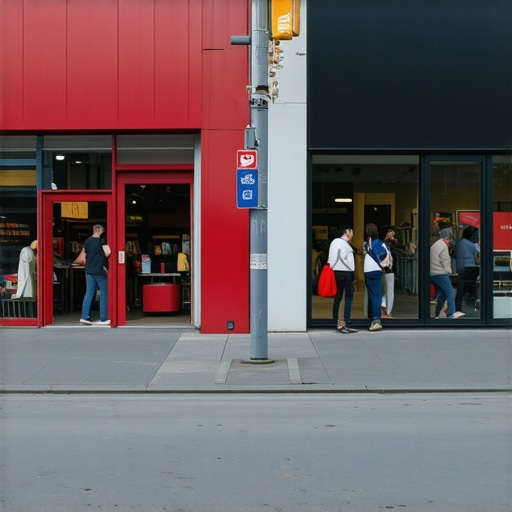
- Permanent Signage Photos: This is the most weighted factor for brick-and-mortar stores. Take a photo from the street showing your signage and the building address.
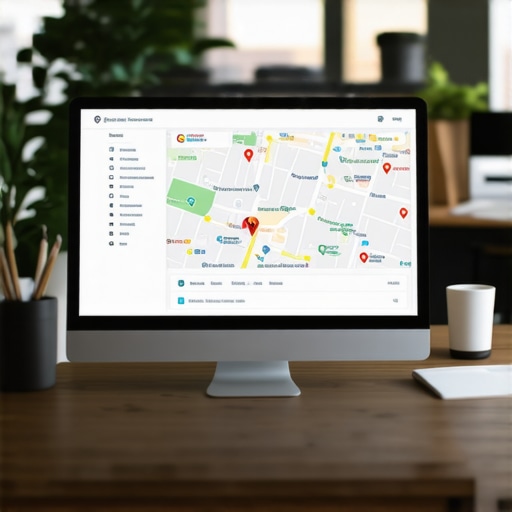
- Verified 2026 Video Signals: This is the “gold standard” of trust. Record a continuous video starting from the street, walking through the front door, and showing the interior of the office, including your computer logged into the GBP dashboard.
Many owners wonder Why Your Local Ranking System Ignores Verified 2026 Video Signals, and the answer usually lies in the quality of the recording. If the video is edited or lacks a continuous “path of travel,” the AI will discard it as a deepfake or manipulated media. Always provide raw, unedited footage to maintain the highest trust score.
What to Do if Your Appeal is Rejected
If your first appeal is rejected, do not panic and do not immediately submit a second identical request. This will result in your account being flagged as “Spammy,” which can lead to a permanent account-level ban. Instead, look for the specific rejection code provided in the email. Often, it will mention “Policy Violation” or “Identity Not Verified.”
If the automated system fails you, the next step is the “Google Product Expert” route. This was a strategy popularized in Reddit case studies. Product Experts are high-level volunteers in the Google Business Profile forums who have a direct line to the manual review team. Post your case clearly, provide your Case ID, and explain the steps you’ve taken. They can often escalate cases that the AI has unfairly blocked.
During this downtime, it is a good idea to consult with a local seo consultant to ensure that there aren’t deeper technical issues with your website or your backlink profile that are triggering Google’s “Trust” filters. You can also use this time to study 7 Steps to Fix a Ghosted Local Ranking System in 2026 to ensure your comeback is stronger than your departure.
Conclusion: Protecting Your Map Authority Post-Recovery
Recovering a suspended profile is an exhausting process, but in 2026, it is a necessary skill for any business owner. Remember that recovery is about proof, not persuasion. Google’s AI doesn’t care about your lost revenue or your years of service; it only cares about the data match between your profile and your legal documentation.
Once your profile is reinstated, your focus must shift to protection and growth. Use the The 2026 Ranking Blueprint for Fixing High-Proximity Map Drops to stabilize your position. To prevent future drops, I highly recommend using SEO Viper Tools to monitor your ranking health and catch “Interaction Gap” issues before they trigger a suspension. By maintaining a clean, evidence-backed profile, you ensure that your business remains a dominant force in the local map pack for years to come.